Reminders for the days you train.
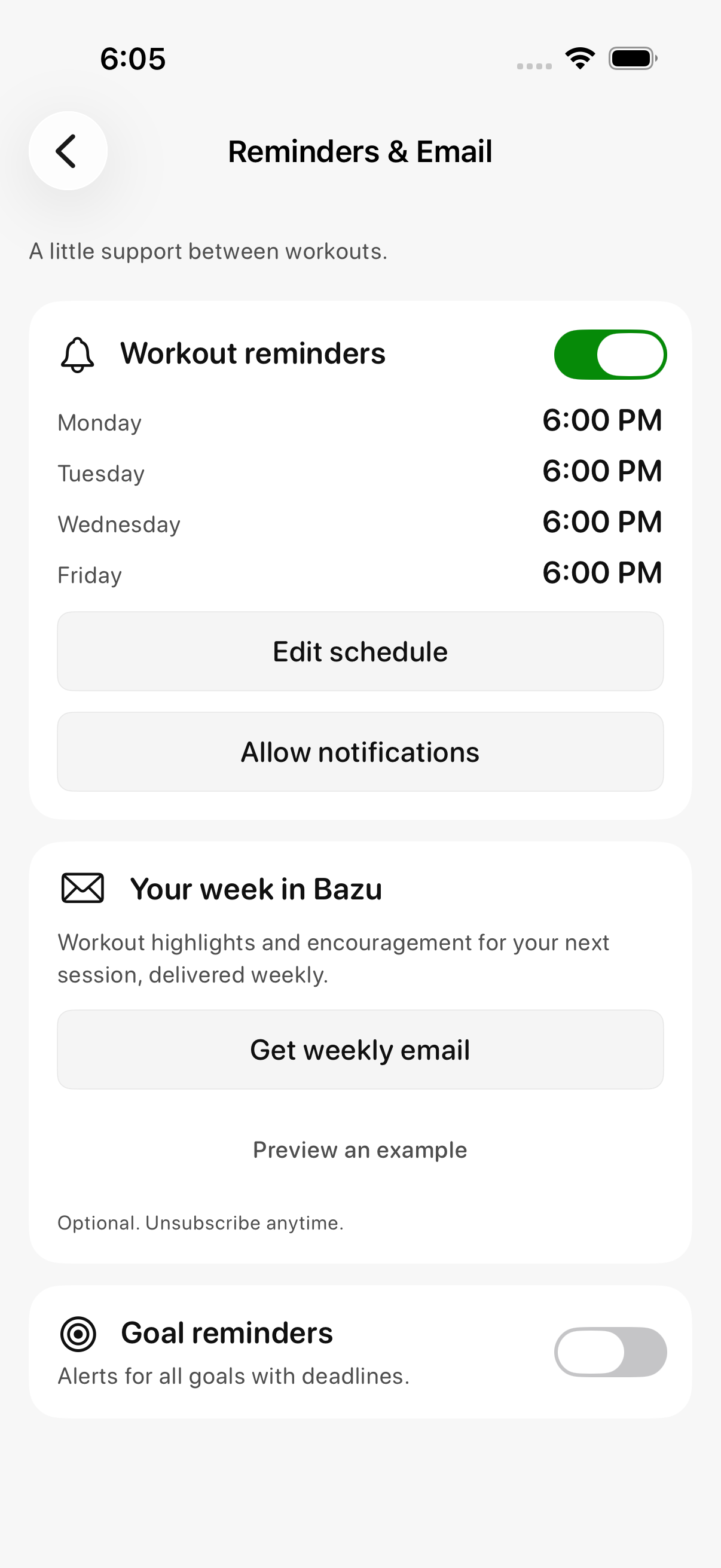
Choose your training days and a time for each in a dedicated schedule editor. Bazu reminds you at those times. A Training schedule link sits under the calendar on Home, so changing it is one tap.
Reminders & Email
A little support between workouts.
Pick the days and times you train and Bazu reminds you. Add goal deadline alerts and an optional weekly progress email, all on one screen, free on iPhone and Android.


Workout reminders, goal deadline alerts, and an optional weekly email live together in Profile → Reminders & Email.
Choose your training days and a time for each in a dedicated schedule editor. Bazu reminds you at those times. A Training schedule link sits under the calendar on Home, so changing it is one tap.
Turn on deadline alerts for goals that have a target date. Goal Details has its own Deadline alerts shortcut, and Bazu offers them after you save a goal with a deadline.
"Your week in Bazu" sends workout highlights and encouragement for your next session once a week. It is off until you turn it on, you can preview an example with made-up numbers first, and "Unsubscribe anytime" sits under the switch. The setting saves instantly, even offline.
Workout reminders, goal alerts, and the weekly email share one screen: Profile → Reminders & Email. An Allow notifications button on the same screen lets Bazu send them.
Go to Profile → Reminders & Email, or tap Training schedule under the calendar on Home.
Edit your schedule, and allow notifications so Bazu can remind you.
Preview an example, then turn on Weekly progress email. Unsubscribe anytime.
This feature is included in Bazu Free, along with unlimited workouts and your full workout history. No ads, ever.
U.S. pricing shown; local prices are confirmed in the app. Subscribe in the app. Cancel anytime. The free tier stays free forever.
Reminders & Email lives in Profile in the Bazu app on iPhone and Android.
Questions before your first set.
Yes. In Profile → Reminders & Email you choose the days and times you train, and Bazu reminds you. Allow notifications when asked so reminders can arrive.
Yes. Workout reminders, goal deadline alerts, and the weekly progress email are free.
An optional email called "Your week in Bazu" with workout highlights and encouragement for your next session. It is off until you turn it on, and you can unsubscribe anytime.
Yes. Tap Preview an example to see a sample with made-up numbers. It changes nothing.
Accounts that sign in with email and password verify their address first, and a Send verification email button is on the same screen. Google, Apple, and Facebook sign-ins need no extra step.
Yes. Turn on goal deadline alerts for goals with a target date, from Reminders & Email or from Goal Details.
Use a relevant calculator, exercise guide, or training article before your next session.
See how logging, permanent PRs, charts, and workout history fit together.
ExploreProductEarn medals for the lifts, workouts, and weeks you have already logged.
ExploreGuideUse consistent entries for barbells, dumbbells, machines, and bodyweight work.
ExploreProductCompare the workout tracking, insights, and coaching included in each plan.
ExploreDownload Bazu, log your first set, and decide later whether Premium earns a place in your training.